
The Dashboard
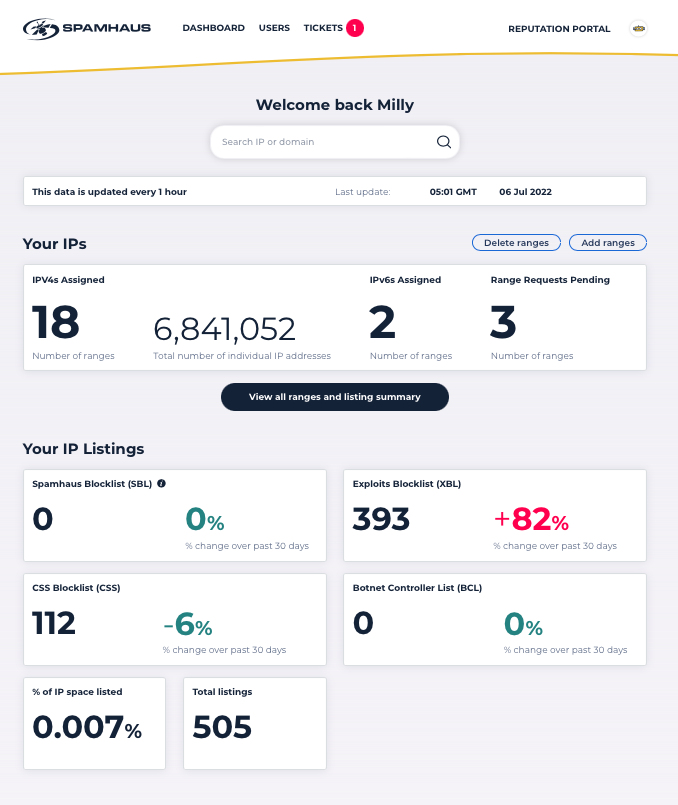
This provides you with an overview of your network. It includes the number of ranges you have associated with your account, and the total number of listings for those ranges by each IP blocklist:
- Spamhaus Blocklist (SBL)
- Exploits Blocklist (XBL)
- CSS Blocklist (CSS)
- Botnet Controller List (BCL)
The dashboard also provides you with the percentage change in the number of listings for each blocklist across 30 days.
For quick reference, several “top tens” show the most recently listed IPs, the longest listed IPs, and your most abused /24s.
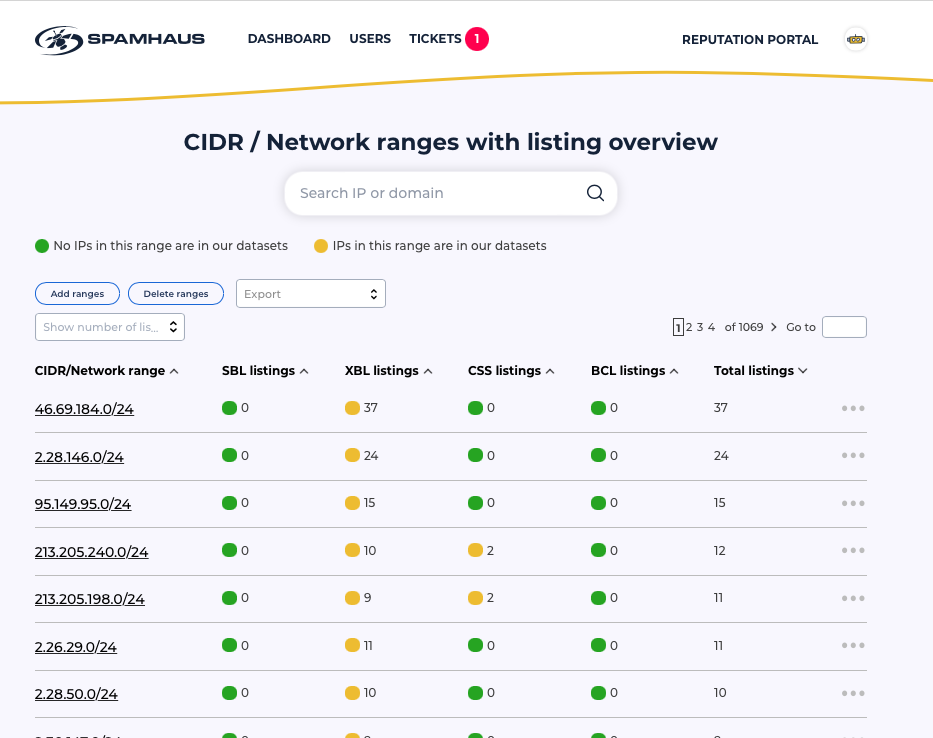
Network ranges with listing overview
This area lists all your ranges by /24, along with the number of SBL, XBL, CSS, and BCL listings. All the information is fully sortable and can be exported, should you require. From this page, you can quickly navigate to a heatmap of a specific /24.
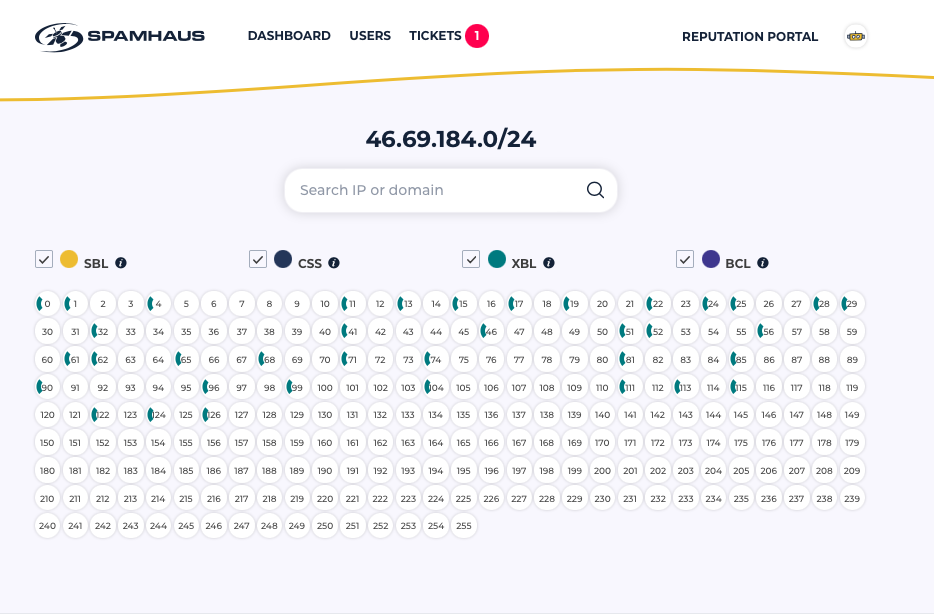
/24 Heatmap with listings
The heatmap shows the individual IPs within a /24 and displays which have SBL, CSS, BCL, or XBL listings associated with them. From here, you can click on one of the IPs to review the complete listing information.
Removals from the Spamhaus blocklists
Currently, it isn’t possible to request removal from the SBL – the usual process of the ISP contacting the SBL team via email remains in place. However, for the other blocklists, once you have taken the relevant remediation that caused the listing in the first place, you can request removal.
Ticketing Center
Here you can track all your requests and communications with the Spamhaus team. This includes adding or deleting ranges from your network, changing user details, or working with the team to resolve a listing issue.
Reputation updates delivered by email or via API
To save you from logging into the portal daily, you can choose to receive reputation updates via email or our API, providing automatic updates of new listings.
How to register for a Reputation Portal account
- Go to https://manage.spamhaus.com/register.
- Complete the form and submit.
- Check your inbox and look for a verification email from Spamhaus. Click on the link included in the email.
- Set up a password for your account.
- Data will populate within 48 working hours.
We hope you get value from this newly released tool, and look forward to increasing its functionality in the not too distant future.