
Products | Real-Time DNS Blocklists (Data Query Service - DQS)
Key Management
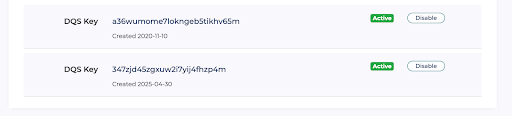
It is now possible to manage your own DQS key. For example, if you’re concerned that your key has been leaked and is being abused, then you can replace it. To this end, to avoid impacting production, your account can temporarily have up to two active keys at a time. Add another key, move your configurations to this new key, then set the old key to “Inactive”.
For example, here there are two active keys:
If you make one of the keys inactive, another key can now be added:
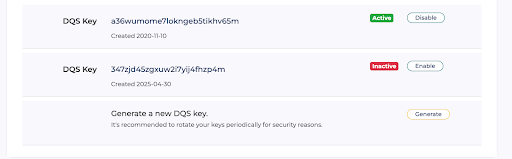
The “primary” key will be shown at the start of the list, and this key is used in the online manuals.
Usage
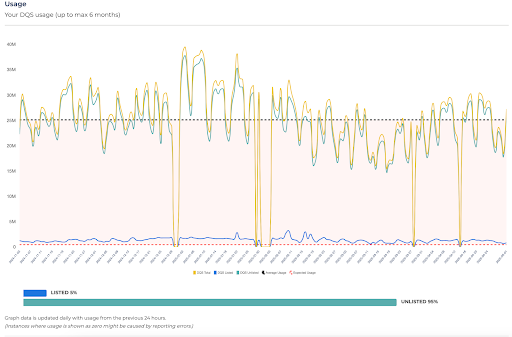
Users can now view their usage over a six-month period, and see what percentage were listed against the total amount of queries made.
NOTE: Where usage drops to zero, this is usually due to reporting errors.
If you’d like to see further developments on the roadmap, please reach out to your account manager, or via the contact form with your suggestions.