
But why should you use a DNS RPZs?
In addition to protecting your users against identity theft, installation of malware and data exfiltration, there are other reasons to use DNS RPZs as part of your multi-layered security, including:
Educating your end users: Following an attempt to connect to a bad domain you can enlighten your end-user as to the danger they have just avoided e.g. potentially connecting to a phishing site. This can either be done via a landing page which they are redirected to, or by reaching out to them directly; turning a bad decision into a positive teaching opportunity.
Freeing up your busy team: Utilizing DNS RPZs automatically mitigates some of the serious issues that may arise on your network as a result of it being compromised. This provides your teams with additional time to focus on resolving other pressing network and security issues.
Gaining insight to be proactive: It provides you with more visibility into compromised users or clients on your network. This enables you to take immediate action without the time lag of either being notified by a third party, or discovering the issue at a later date, be that days, weeks or months after the attack.
It’s easy to apply & simple to maintain: Once the DNS RPZs have been applied to the DNS all the clients on your network, including IoT devices, are protected from accessing malicious sites. This minimizes deployment resources. Meanwhile the datasets, against which potential connections are checked, are continuously update. This removes the need for upgrades and updates.
Brand protection: For ‘trusted’ brands online security breaches can have a huge impact on business. The 2025 M&S cyber incident disrupted online sales and operations, compromised customer data, and resulted in more than £130 million in costs. It is vital to have multiple layers of security to keep company networks and users “Ëœsafe’.
Lower cyber risk insurance costs: Insurance (and its associated costs) probably don’t fall under your department’s responsibilities or budget. However, it’s highly likely that someone in your organization will be pleased to discover that implementing DNS RPZs can reduce your cyber risk insurance costs.
How can DNS RPZs be implemented?
There are three ways to implement DNS RPZs. It is worth noting that all three use ‘threat intelligence datasets’ to identify bad domains, however there are differing ways in how you can access/utilize these datasets:
- On-premises open source software: Threat intelligence datasets are transferred via AXFR/IXFR to your DNS resolver as ‘zone’ files. Originally, Spamhaus DNS RPZ was designed to be an open and translatable standard, with its initial home being BIND. Now other DNS servers such as PowerDNS, Knot, and Unbound also provide support for using our datasets.
- On-premises appliance: An internal solution/application, located within your network, working as a management system for your DNS’s security infrastructure which utilizes threat intelligence datasets. Depending on the supplier you may, or may not, have the flexibility to choose your preferred dataset supplier.
- Cloud: Service providers with their own DNS resolvers which are protected by DNS RPZs with threat intelligence datasets, and are accessed, like a managed service, by customers.
How DNS RPZ works
Let’s take a deeper dive into how DNS RPZs work:
Standard DNS Resolvers: When an end-user attempts to go to a website/domain, the resolver will query a root server, then a top-level domain server, and finally the server of the site, which will complete the resolution of the request by the end-user. The client’s request to access the site will take place regardless of whether the site is malicious or not.
DNS Resolver with DNS RPZ: During the resolution process “zones”, which consist of sets of threat intelligence data, are queried. The requested domain is analyzed for potential security risks against the data sets, and if a match is returned the request is blocked or redirected.
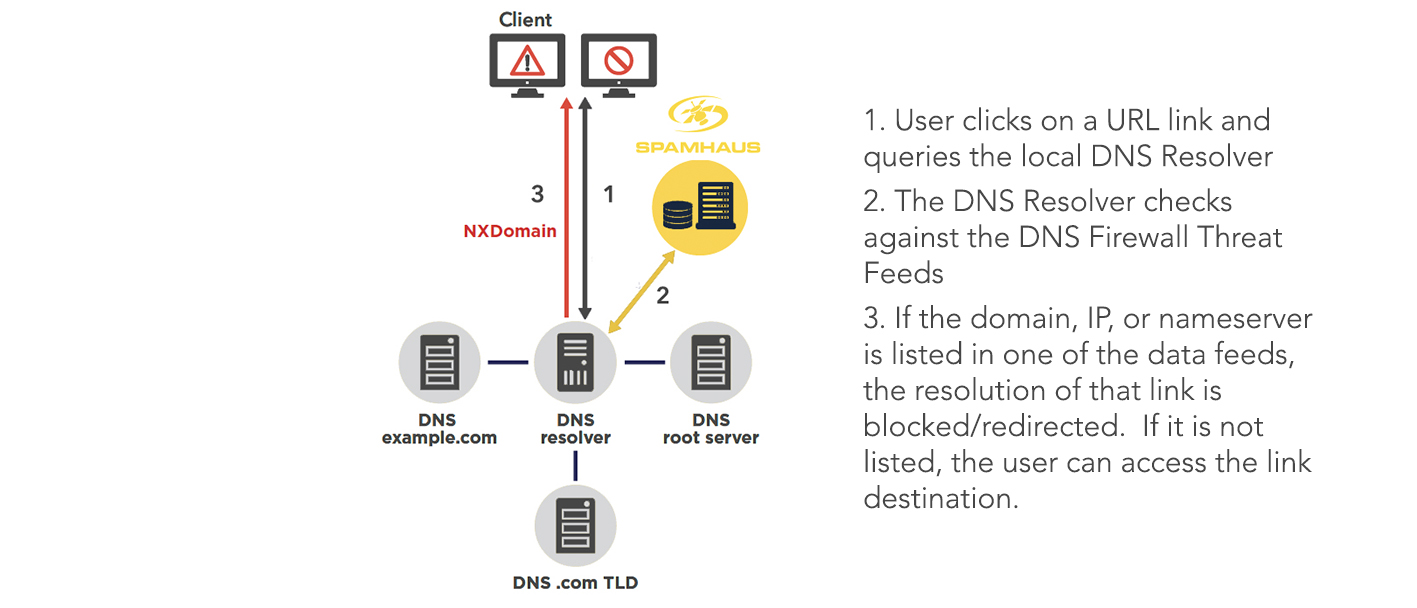
Take a look at the examples below to see what end-users may potentially see if they tried to connect to a phishing site in each of the following situations:
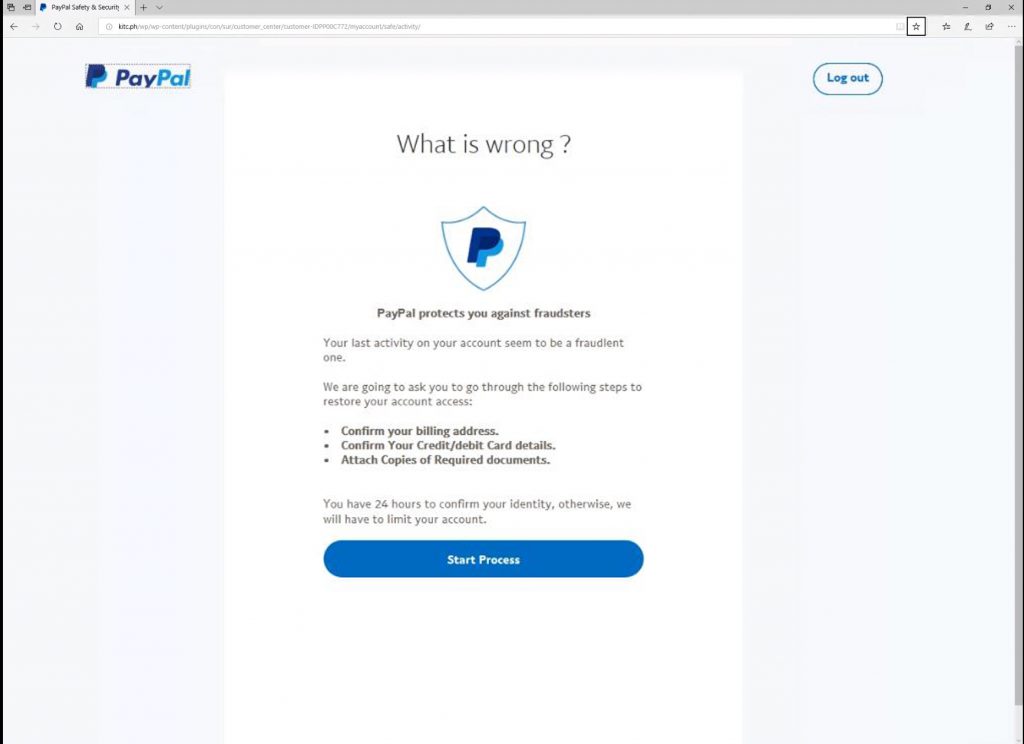
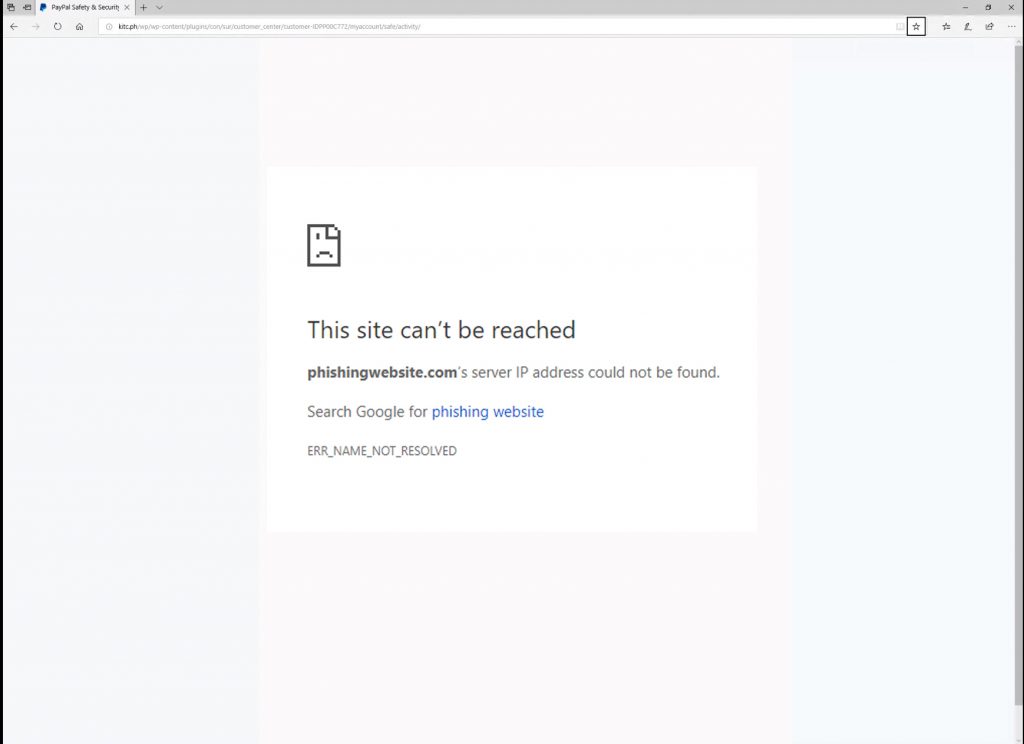
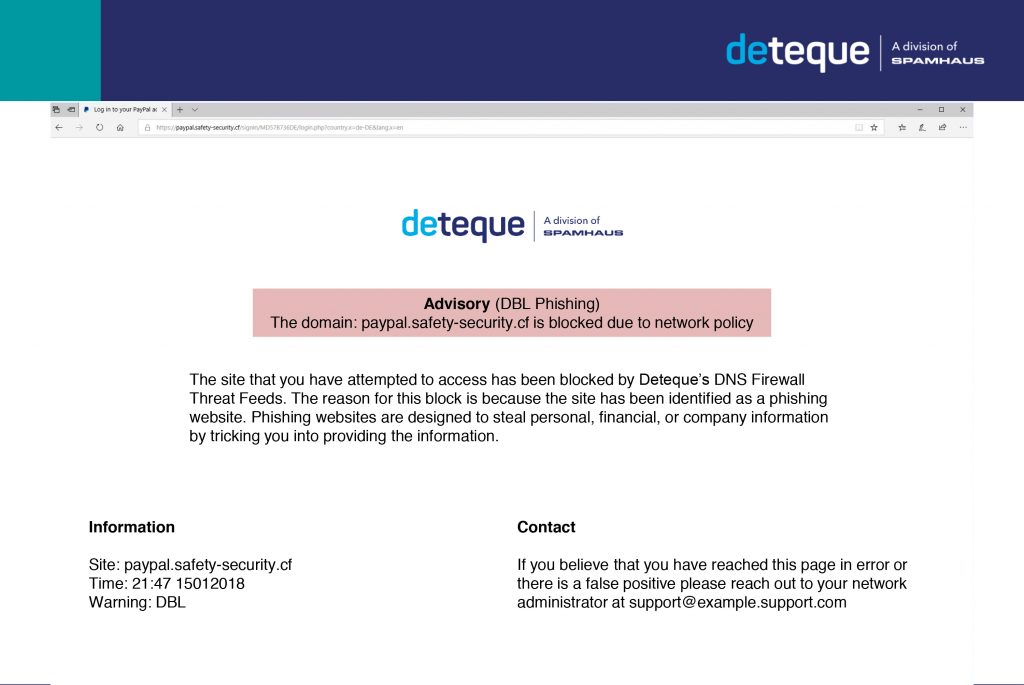
Where the DNS Firewall is enabled the end-user who has attempted to access the phishing site has been prevented from doing so, and consequently protected from the potential harm that could lead to. Moreover, because the mitigation has occurred at the DNS level there has been no need for the end-user to install an additional program or update software on their workstation.
Introducing Spamhaus DNS RPZ
With Spamhaus DNS RPZ, you gain access to a wide range of DNS RPZ files that can block or redirect sites based on your organizations risk profile. These include botnet C2 IPs, highly malicious networks, low reputation domains, and zero reputation domains.
You select the zones, and Spamhaus provides the data - configurable to your DNS protection needs. This allows you to automatically block malicious activity threats such as phishing sites, malware dropper sites and ransomware, protecting your network and users.
What next?
DNS RPZ has the potential to free up teams to accomplish other tasks and build a secure proactive, not reactive, network experience for everyone within your organization.
Now you know how DNS RPZ works it’s time to look at what considerations you need to be making when implementing it.
Sign up for a 30 day FREE trial of Spamhaus DNS RPZ here.